


Page 39 - FDMAsia MayJun2024
P. 39
TECHNOLOGY           37
         www.fdmasia.com | FDM ASIA MAY/JUN 2024


            It is important to note that this was one of the authors’   parts are scanned in 3D, imported into inspection software,
          first projects. Due to a lack of experience, eight scans were   and correlated with the CAD model of the same part. In this
          captured, but only two were used. Experience helps engineers   case, the inspection software was used to check the quality
          optimise the number of scans needed.               of the CAD modelling.

            The final step is to create a mesh model. The great   The created CAD models do not perfectly fit the scanned
          advantage of the software used is that it is always possible   data  so  that some  deviations  may  occur.  In  the  furniture
          to go back and fix errors during raw data processing or to   industry, all deviations below 1 mm can be accepted. The
          carry out and add additional scans if necessary. The created   results of comparing the scanned model with the CAD model
          mesh  model  can  be  aligned  to  one  of  the  planes  before   were presented.
          exporting to the STL file.
            Although the mesh model provides valuable visualisation   Real-world Case Studies
          capabilities, it cannot be directly used in CNC machining or   Case Study No. 1
          other automated manufacturing processes. Therefore, it was   The undertaking described as case study no. 1’ was conducted

          converted into a high-quality CAD 3D model using reverse   by the Faculty of Mechanical Engineering at the University
          engineering software (Geomagic DesignX, 3D Systems,   of  Sarajevo, collaborating  with Bosnia and  Herzegovina’s
          Valencia, CA, USA). The reverse engineering software used   Aptha Corporation as the producer. Stefano Bigi, an Italian
          has commands for the creation of CAD models using scanned   furniture designer, was author of the design of the analysed
          mesh  models  only  as  a  reference.  It  is  easy  to  scan  and   piece of furniture.
          process raw data, but to create a full-value 3D CAD model   The design process began with creating initial concept
          with topology, extensive knowledge and experience are needed.  models in real size by hand. These physical models were then

            The first step involved creating sketches using splines.   brought into the digital realm using 3D scanning technology.
          These sketches were then used to generate surface models.   These scan data, initially in the form of a point cloud (STL
          Once the surface model was completed, a solid CAD model   3D model), were the foundation for creating CAD 3D models
          was created by adding volume to the surface.       suitable for manufacturing. A prototype of a product designer’s
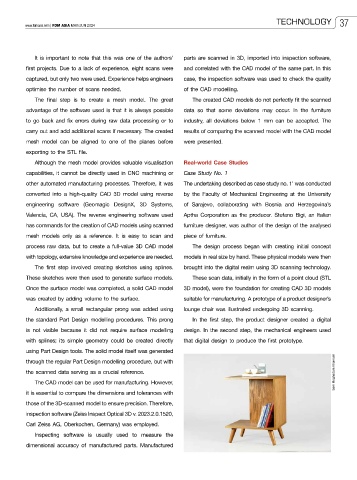
            Additionally, a small rectangular prong was added using   lounge chair was illustrated undergoing 3D scanning.
          the standard Part Design modelling procedures. This prong   In the  first  step,  the  product designer  created a  digital
          is  not visible because it  did not  require surface modelling   design. In the second step, the mechanical engineers used
          with splines; its simple geometry could be created directly   that digital design to produce the first prototype.
          using Part Design tools. The solid model itself was generated

          through the regular Part Design modelling procedure, but with
          the scanned data serving as a crucial reference.                                                    Sam Moghadam Khamseh
            The CAD model can be used for manufacturing. However,
          it is essential to compare the dimensions and tolerances with
          those of the 3D-scanned model to ensure precision. Therefore,
          inspection software (Zeiss Inspect Optical 3D v. 2023.2.0.1520,
          Carl Zeiss AG, Oberkochen, Germany) was employed.

            Inspecting software is usually used to measure the
          dimensional accuracy of manufactured parts. Manufactured

